
How to Search Osceola County Court Records
Court records in Osceola County run through the Clerk's Benchmark case search. The portal pulls circuit and county court cases into one tool. It offers three search modes: Name, Case Number, and Citation Number. Name searches use a Last, First format. Case numbers follow a year, case type, and six-digit pattern. The Benchmark tooltip gives the example 2004 TR 000123. The portal is free, but certified copies cost extra.
Decide what you know before you search. A case number is the cleanest path. A name works when you lack the number, but common names return many matches. For a traffic ticket, the citation number beats a name search.
- Open the search page at courts.osceolaclerk.com.
- Choose Name, Case Number, or Citation Number.
- Enter the value. Use last name first for people.
- Narrow by case type if the filter shows. Options cover civil, family, probate, guardianship, eviction, and traffic.
- Press Search and open a case for its docket.
- Order a certified copy through the eCertified link when you need one.
If an old case does not appear, contact the Clerk. Archived or restricted files may need staff retrieval.
Osceola County Court Records Search Fields
The Benchmark form has a small set of core fields plus optional filters. Knowing each one helps you target the right case the first time. The table maps the main fields, their type, and how to use them.
| Field Label | Type | Required | Notes / Format |
|---|---|---|---|
| Name | Radio + text | One mode required | Enter Last, First. Party name search. |
| Case Number | Radio + text | One mode required | Year, case type, six digits. Example 2004 TR 000123. |
| Citation Number | Radio + text | One mode required | Enter the citation number from the ticket. |
| Causes of Action / Case Types | Multi-select | Optional | Civil, family, probate, guardianship, eviction, small claims, foreclosure, injunction, traffic appeal. |
| Opened / Closed Date Range | Date | Optional | Advanced date-range fields in the posted form. |
Certified copies for legal use come from the Clerk, not a screen print. The portal below orders eCertified documents.
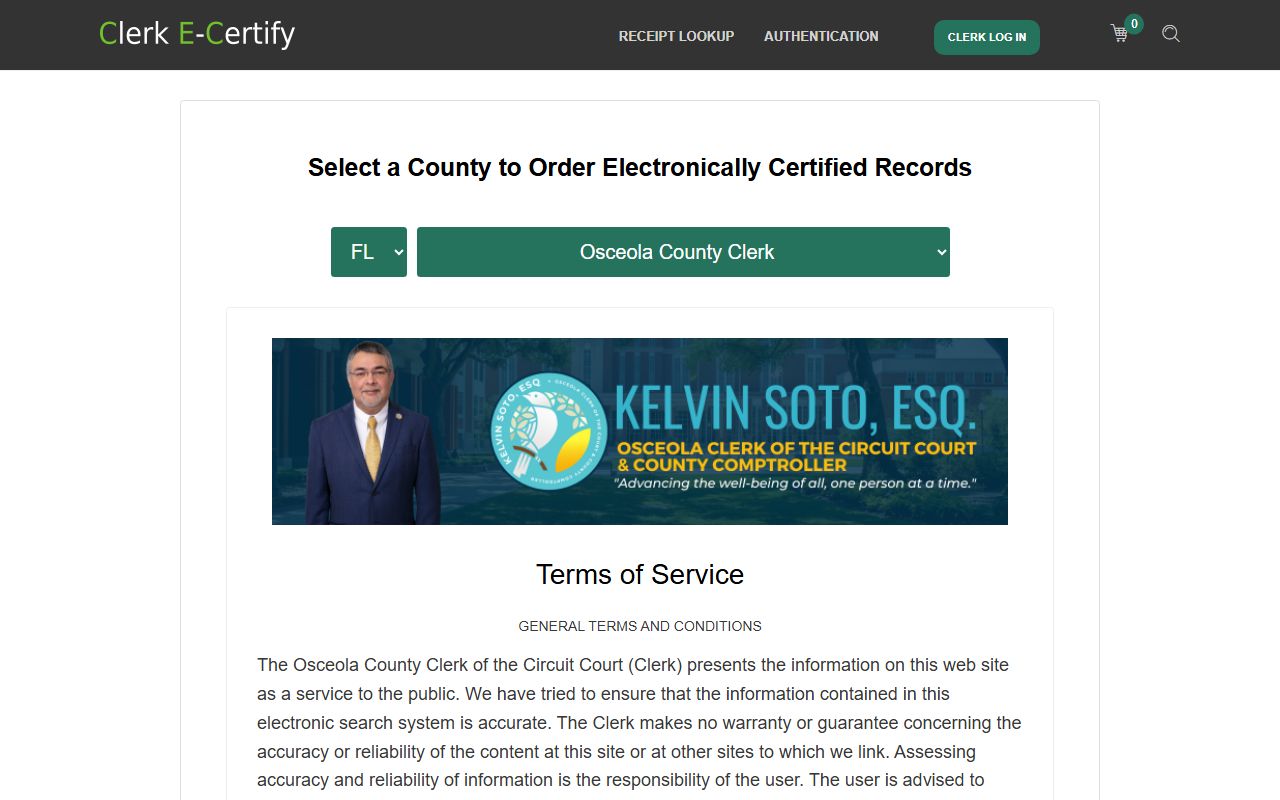
This eCertified copy order page links straight from the Clerk's records tools.
Types of Osceola County Court Records
Court records here span many case types. Civil and criminal files form the core. Family, probate, traffic, and small claims fill out the rest. County civil and circuit civil split by the dollar amount and the kind of claim. The Benchmark case-type list reflects Florida brackets, including county civil from $8,001 up to $50,000.
Each level of court makes its own records, but the Clerk keeps them in one system. The list below shows the main groups.
- Civil records - complaints, answers, motions, judgments, and writs.
- Criminal records - charges, pleas, dispositions, and sentences. See criminal records.
- Family records - dissolution, paternity, child support, and injunctions.
- Probate and guardianship - estates, wills, trusts, and ward matters.
- Traffic records - infractions, citations, and hearings. See traffic court records.
What Osceola County Court Records Show
A court record tells the full case story. It names the parties, lists each filing, and records the final result. Docket entries mark every event in date order, from the first filing to the judgment. Some document images can be viewed online. Restricted images show a notice instead. The table below maps the common fields in a case file.
| Field | What It Shows |
|---|---|
| Case Number | Year, case type, and a six-digit sequence |
| Court / Division | Circuit civil, county civil, family, probate, traffic, or criminal |
| Filing Date | When the case or document was filed |
| Parties | Plaintiff and defendant, or petitioner and respondent |
| Docket Entries | Filings, motions, orders, hearings, and the disposition |
| Financial | Fines, fees, costs, restitution, bond, and judgment amounts |
Redactions protect Social Security numbers, account numbers, victim details, and minor information.
Public Access Framework for Osceola County Court Records
Florida starts from open access. Article I, Section 24 of the state constitution grants the right to inspect public records. Fla. Stat. § 119.01 sets the open-records policy. Fla. Stat. § 119.07 requires custodians to allow inspection and copying. Court records also follow Rule 2.420 of the judicial branch. The Clerk acts as the custodian for Osceola County court records.
Public means you can inspect and copy a record. It does not mean every page sits online. Anyone can request a public file. Certified copies and some services carry a fee, and ID may be needed for certain requests.
Note: A sealed or expunged case does not vanish from every system; authorized agencies may still retain or view some data under the law.
Records That Are Sealed or Confidential in Osceola County
Some Osceola County court records are limited by law. Juvenile records fall under Fla. Stat. § 985.045. Adoption files are confidential. Mental health clinical records are protected. Sealed and expunged criminal records follow Fla. Stat. § 943.059 for sealing and the expunction statute for removal.
The juvenile confidentiality rule is shown below.
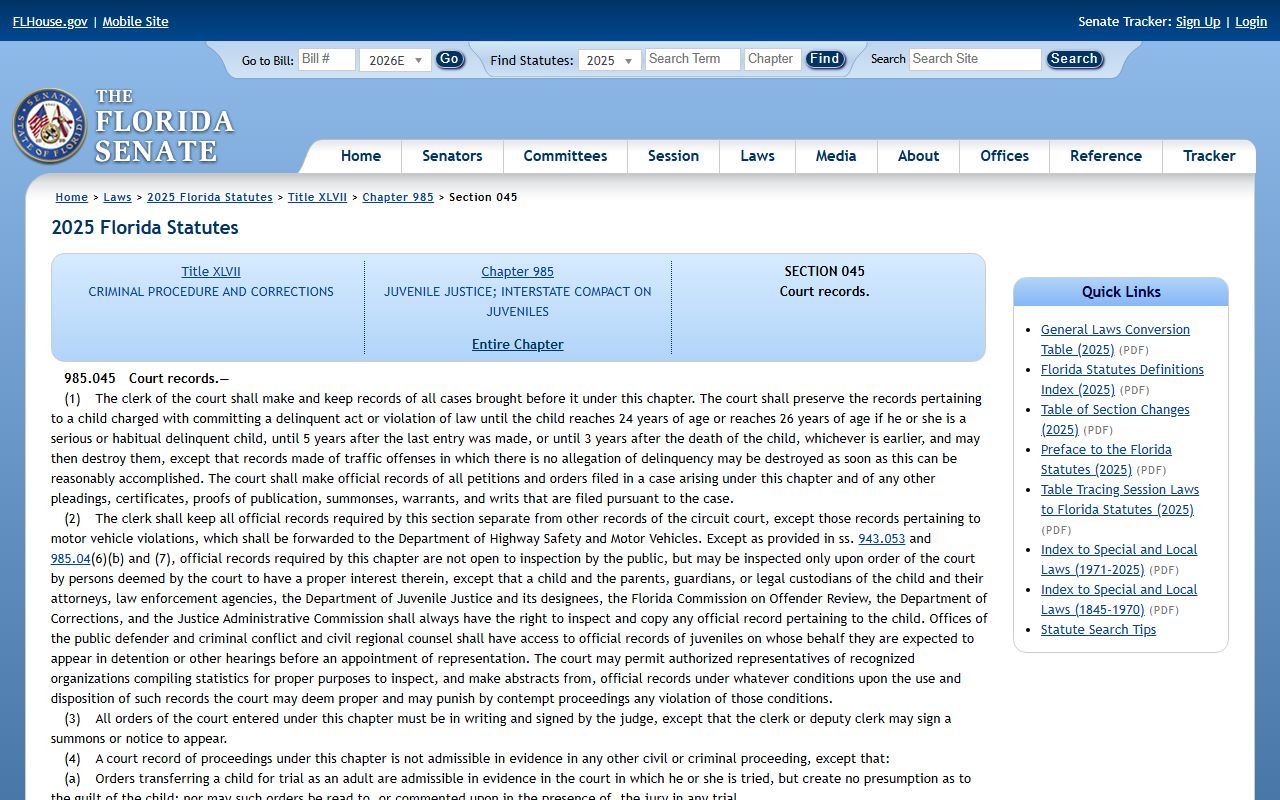
To view a sealed record, an authorized party petitions the court for access. Sealing hides a record from public view but keeps it for certain agencies. Expunction goes further. The sealing statute image below sets the standard.
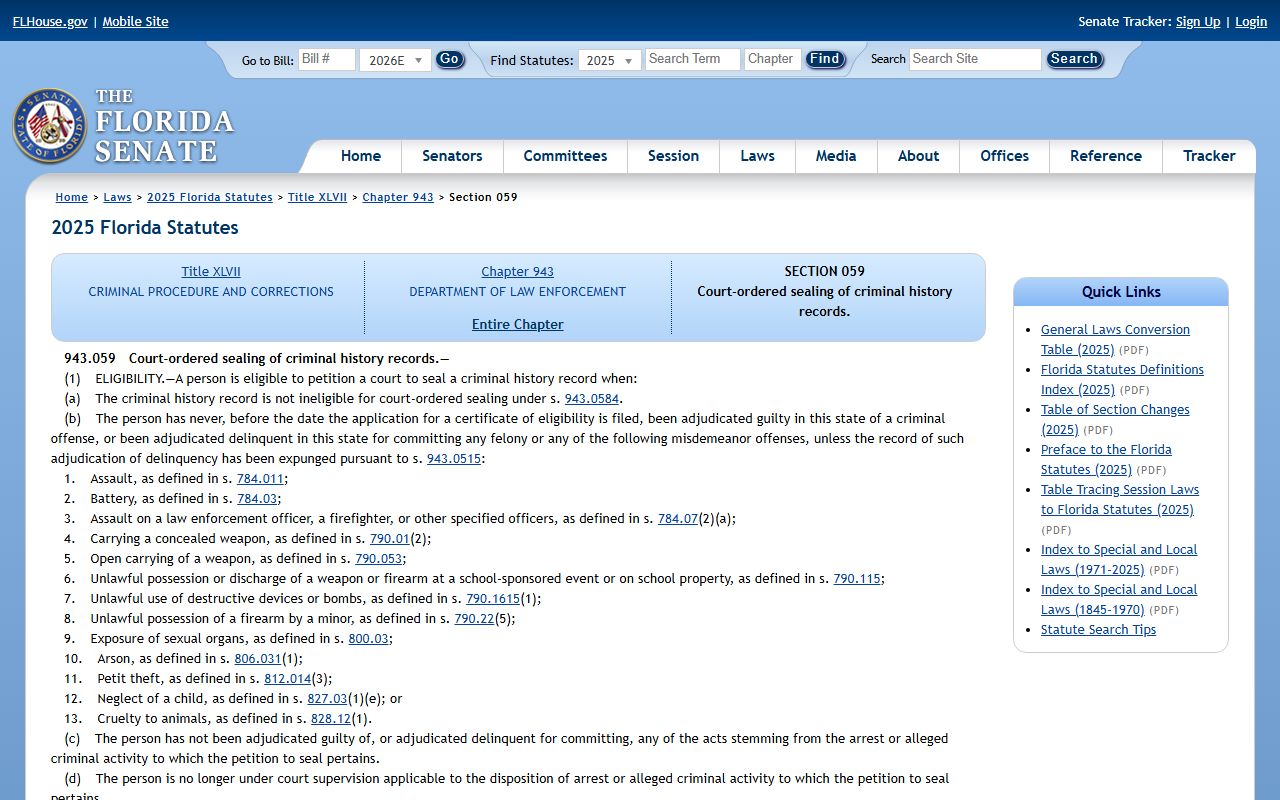
Most sealing and expunction paths start with an FDLE eligibility review, then a petition in the Ninth Circuit. The sealing statute sets eligibility limits.
In-Person Court Record Requests
You can also request records in person at the courthouse in downtown Kissimmee. Bring a government ID, and expect weapons screening at entry. Public terminals or clerk counters may be needed for documents that are not online. Phone routing varies by division, so use the Clerk site for current numbers.
Osceola Clerk of Court
2 Courthouse Square
Kissimmee, FL 34741
See clerk site for current hours
In-person service helps with older files and with cases that hold restricted images. Staff can pull a paper file or print a record at the counter. They can explain the steps and the cost. They cannot give legal advice or tell you how a judge may rule. For a record you plan to use in court, ask for a certified copy at the time of your visit.
Reading an Osceola County Court Case Number
Florida case numbers follow a set pattern. They start with the year the case opened. Next comes a case-type code. Then a six-digit sequence. The Benchmark tooltip shows the example 2004 TR 000123, where TR marks a traffic case. Other codes mark family, probate, civil, and criminal matters.
The code tells you which division holds the file. CF often marks a felony. MM marks a misdemeanor. DR marks a domestic relations case. Knowing the code helps you pick the right case type filter and avoid a wrong match. If you only have a name, the search still works, but the number removes doubt when two people share a name.
- Year - the four-digit year the case was filed.
- Type code - a short code for the division, such as TR, CF, or DR.
- Sequence - a six-digit running number for that year and type.
Official Records Beyond Court Files
The Clerk keeps more than court case files. Official records include deeds, mortgages, liens, notices, plats, and recorded marriage records. These sit in a separate search portal from the court case system. Property buyers, title researchers, and lenders use it most. The official records search lets you look by party name, document type, instrument number, and book and page.
For recorded documents, use the Clerk's official records search rather than Benchmark. Benchmark holds court cases. The official records portal holds recorded instruments. Both are run by the same Osceola Clerk office, and both link certified copy ordering. For broad public-records requests beyond these portals, see the public records page.
Osceola County Court Records Fees
The Clerk charges set fees for copies and certifications. Florida fixes many of these under Fla. Stat. § 28.24. Recording taxes and service charges can apply on top of the base fee. Exact totals can change, so check the current Clerk fee page before you pay. The table groups the common charges you may face.
| Item | Source |
|---|---|
| Plain copies | Clerk fee schedule under § 28.24 |
| Certified copies | Clerk certification fee; eCertified option online |
| Recording fees | § 28.24 plus documentary stamp and recording taxes |
| Court filing fees | Statutory filing fees plus local service charges |
Note: a viewing fee and a certified copy fee are not the same; certified copies always cost more because the Clerk attests to them.
Federal Cases Are Searched Elsewhere
Not every case tied to Osceola County sits in the Clerk's portal. Federal cases are filed in the U.S. District Court for the Middle District of Florida. Those records are searched through PACER and CM/ECF, not Benchmark. Federal matters can include federal crimes, civil rights claims, and federal-question civil cases. Bankruptcy runs through the Middle District Bankruptcy Court. Appeals go to the Eleventh Circuit.